

Add products by adding codes
Add a CSV file
Enter the product codes that you want to add to the basket in bulk (after a comma, with a space or from a new line).
Repeating the code many times will add this item as many times as it appears.


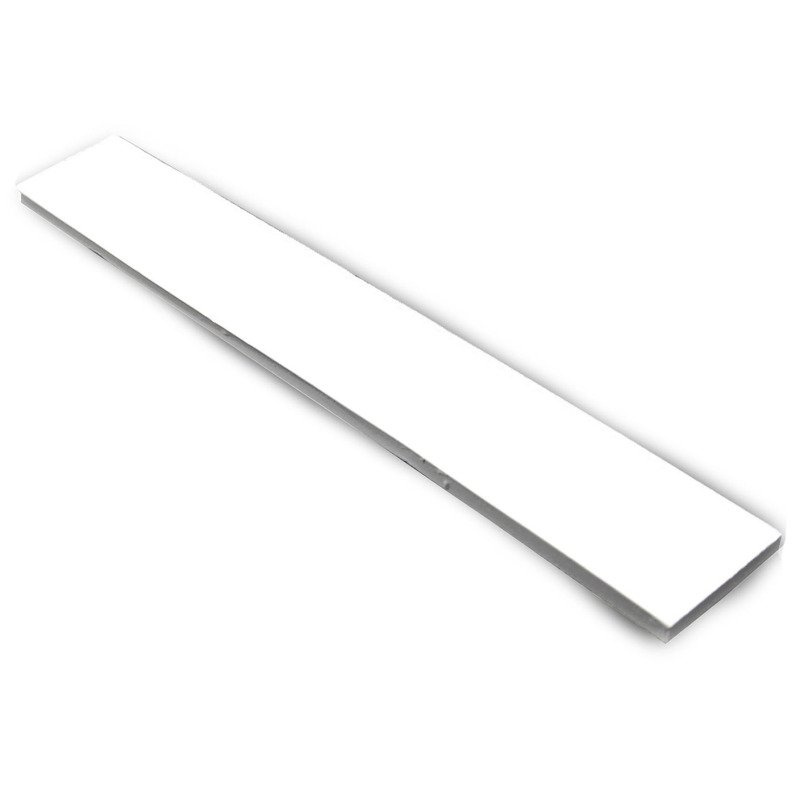
AABCOOLING Thermopad Glue 3M 20x130x2 2,4 W/mK
- AABCOOLING thermal pad with double-sided 3M adhesive tape: 2.4 W/mK, 20 × 130 × 2 mm strip to cut to size. Fills gaps of 1.6–1.8 mm, works from -50°C to +200°C. For GPU, VRM and RAM in PCs and laptops.
Thermal pad with 3M adhesive tape – 2.4 W/mK, 2 mm thick
AABCOOLING Thermopad 3M 20x130x2 2,4 W/mK is a thermally conductive pad with a thermal conductivity of 2.4 W/mK and double-sided 3M adhesive tape. It transfers heat from the hot component to the heat sink, while the tape bonds both parts immediately.
The pad comes as a single 20 × 130 mm strip that you can cut to the size you need with scissors. Thanks to its high compressibility it fills gaps from 1.6 to 1.8 mm between the chip and the heat sink.

Key features
- Thermal conductivity: 2.4 W/mK
- Double-sided 3M adhesive tape – bonds instantly
- Compressible material – precisely fills the gap between chip and heat sink
- Single 20 × 130 mm strip, cut to size
- Easy to apply
- Operating temperature range from -50°C to +200°C
Applications
- Laptops – graphics chips and power delivery section
- Desktop PCs – between the heat sink and the GPU of a graphics card, power delivery section (VRM), RAM modules
- Consumer electronics and appliances – LCD TVs, amplifiers and other heat-generating electronics
How to apply the thermal pad
- Make sure both surfaces are completely clean.
- Peel off the protective film on one side and stick the pad to the underside of the heat sink.
- Peel off the second film and stick the heat sink to the component to be cooled (chipset, graphics chip, MOSFETs, RAM, etc.).
- The tape bonds instantly, so position the parts precisely on the first attempt.
How to remove the heat sink
Carefully lever up one corner of the heat sink with a thin knife and detach it from the cooled component with gentle twisting movements. Clean both surfaces before reassembly.
Specifications
- Dimensions: 20 × 130 × 2 mm
- Thickness: 2 mm
- Thermal conductivity: 2.4 W/mK
- Operating temperature: from -50°C to +200°C
- Colour: grey
- Adhesive: double-sided 3M tape
Package contents
- 1 × AABCOOLING Thermopad 3M 20x130x2 2,4 W/mK
Brand
Symbol
5901812991249
Producer code
5901812991249
Warranty
Overall dimensions
130 x 20 x 2 mm
Colour
Gray
Operating range
-50 to 200 deg. C
Thermal conductivity
2,4 W/mK
Additional information
3M Adhesive Tape - Excellent adhesive
24 months warranty
24 months warranty